Schedule TikTok videos weeks ahead
Upload your clip, let AI write the TikTok caption and hashtags from what actually happens in the video, pick a date and time, and UploadFlow posts it for you. The same upload can go to YouTube Shorts, Instagram Reels, Facebook and LinkedIn too.
Schedule a TikTok in three steps
Connect your TikTok account
Sign in with the official TikTok login. UploadFlow never sees your password and you can disconnect at any time.
Upload your video
Drop one clip or a whole batch. The AI looks at key frames and listens to the spoken audio, then writes a caption with hashtags in your brand voice.
Pick a date and time
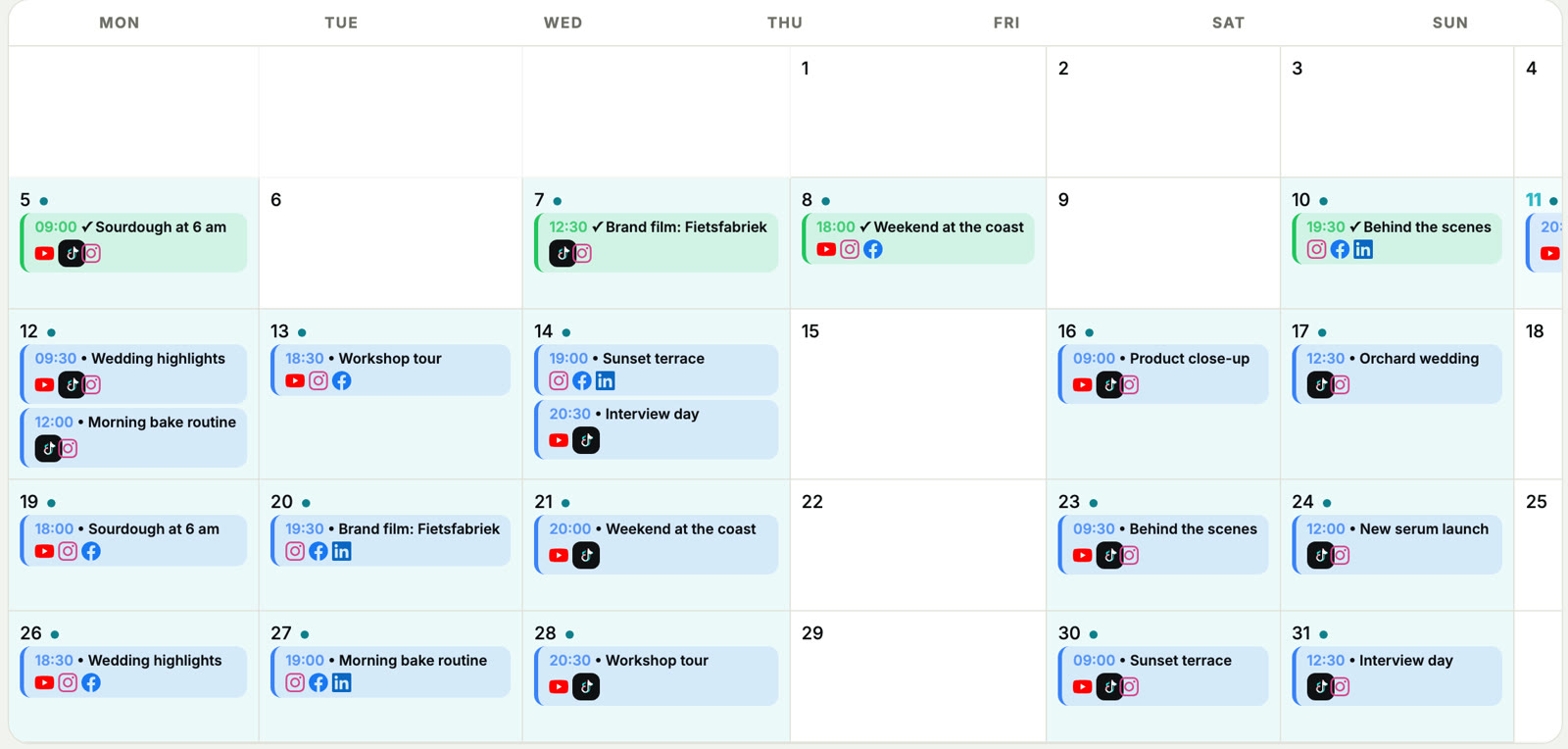
Schedule each video or spread a batch over the coming days. Everything lands in one calendar where you can drag posts to another day.
Captions from your actual video
No generic hashtag lists. The caption describes what happens in your clip, in the tone you choose: funny, hype, professional, casual or educational. Every word is editable before it goes live.
Hook score
See how strong the first seconds of your video are, with a tip to improve the opening.
Brand voice
Describe how your brand talks once, in any language, and every caption follows it.
Photo posts
Post single photos or photo posts to TikTok as well, scheduled like your videos.
One clip, every platform
Short vertical videos work on more than TikTok. Tick YouTube Shorts and Instagram Reels on the same upload and UploadFlow adapts the title and caption to each platform. How posting to all platforms works.
TikTok scheduling questions
Can I schedule TikTok videos for free?
Yes. The Free plan lets you schedule posts up to 30 days ahead with AI captions for about 2 videos a month, or try a paid plan free for 14 days.
Do I need the TikTok app open when the post goes live?
No. UploadFlow publishes at the scheduled time through the official TikTok connection. Your computer can be off.
Can I edit a scheduled TikTok?
Yes. Open the post in the calendar to change the caption, the time or the day before it goes live.
Can I manage more than one TikTok account?
Yes. Free includes 1 account per platform, Social 2, Pro 4 and Agency 10. Need more? Ask us for a custom plan.
Schedule your first TikTok
Free plan, no credit card. Connect TikTok and plan your next week of videos in minutes.