One video, every platform.

Upload a clip once. UploadFlow writes the title, caption and hashtags for TikTok, YouTube Shorts, Instagram Reels, Facebook and LinkedIn in your brand voice, then posts it or schedules it everywhere.
An hour of work, now minutes
The whole flow, in under three minutes
Upload, the AI captions, the calendar and publishing, filmed in the app itself. How posting to all platforms works
Everything after the upload
For creators who post every day and agencies who post for twenty clients. UploadFlow for agencies
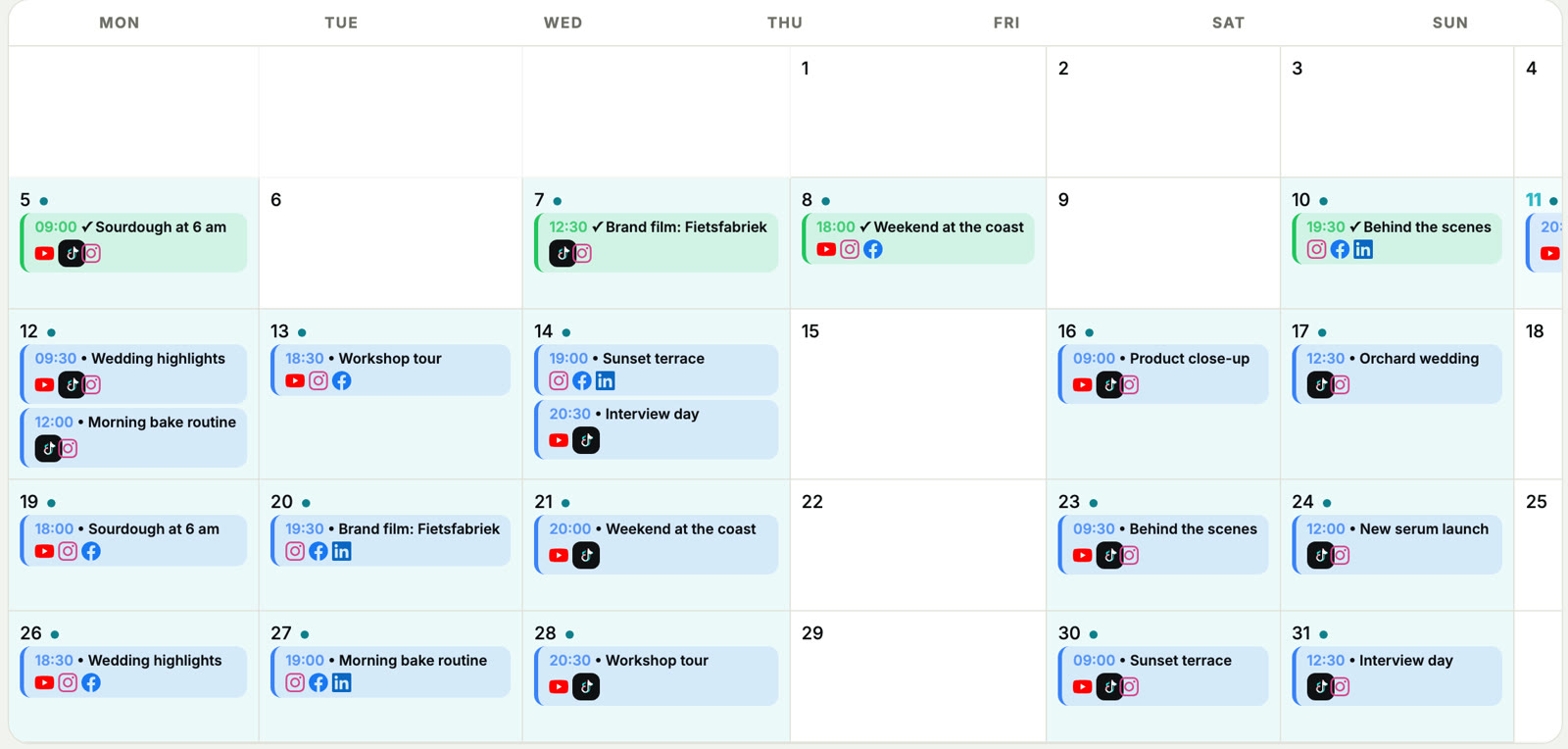
Your month on one screen
Every scheduled post sits in the calendar with its platforms beside it. Drag a post to another day to move it, or spread a batch over the coming weeks in one go.
Clients approve without a login
Send a review link. Your client watches the video, reads the captions and approves or asks for a change, per video or photo, on their phone.

Concepts wait for a yes
Videos and photos stay a concept until they are approved. Feedback arrives next to the file, and one click sends it on to upload.

A portal in each client's colors
Every client gets a branded overview of what is ready, what is approved and what still needs them. Your logo, their name, no account needed.

A monthly report per client
Followers, views, posts and engagement per channel, compared with the month before, with the highlights written out. How the AI writes

Pay for the videos you post
Every plan publishes to YouTube, TikTok, Instagram, Facebook and LinkedIn and includes AI titles and captions, scheduling, review links, statistics and notifications. One AI analysis is 10 credits, an AI thumbnail 15, a single regenerated field 1 to 3.
Most popular. For freelancers and growing brands. 400 credits a month, about 40 videos
- 4 accounts per platform
- 250 GB storage, kept 90 days
- 10 YouTube videos a day
- Share files up to 5 GB
- Your logo on review links
- 2 users and priority support
Yearly billing gives you two months free: Social €119, Pro €290 and Agency €790 a year. All prices include Dutch VAT. AI video analysis works on files up to 500 MB on paid plans and 100 MB on Free. EU companies with a valid VAT number pay without VAT (reverse charge). Need more? Email us for a custom plan.
Extra credits, once, that never expire: 50 for €5.99, 100 for €10.99, 150 for €14.99 or 350 for €29.99, on top of any plan. Full pricing details list every limit per plan.
Questions
What is UploadFlow?
A web app that publishes and schedules your videos and photos to YouTube, TikTok, Instagram, Facebook and LinkedIn from one place. AI watches your video and writes a title, description and captions for each platform, which you can edit before anything goes live.
Which platforms can I post to?
YouTube (videos and Shorts), TikTok, Instagram, Facebook Pages and LinkedIn (profile or company page). Photos and carousels work on Instagram, Facebook, TikTok and LinkedIn. TikTok scheduler YouTube Shorts scheduler
Is there a free plan?
Yes. The Free plan includes 20 credits a month, enough for 2 AI analyses, and needs no credit card. Paid plans start at €12 a month, and you can try any paid plan free for 14 days.
Does it work for agencies?
Yes. Agencies get login-free client review links, a white-label client portal, a brand voice per client, team seats and client reports. UploadFlow for agencies
Do I need to install anything?
No. UploadFlow runs in your browser on desktop and mobile. You can add it to your home screen to open it like an app.
Can I edit what the AI writes?
Always. Every title, caption and hashtag is editable, and you can regenerate a single field for a fresh suggestion.
Upload once.
Post everywhere.
Your first video is free. Connect your accounts with each platform's own sign-in and see the five versions in a minute.
Analyze your first video